
The no-root auto clicker for Android
VV Auto Clicker automates repeated taps, clicks and swipes in any app or game — from grinding in idle games to liking posts. Set your points, choose an interval, and let the floating bubble do the tapping.
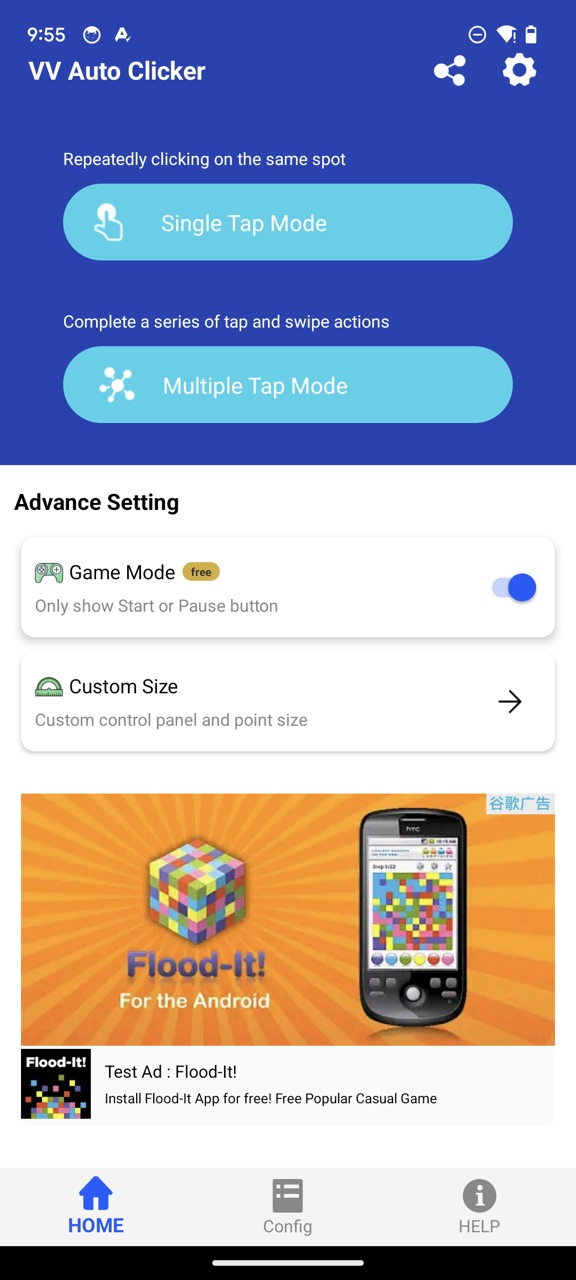
Everything you need to automate your screen
Simple enough for a single like button, powerful enough for multi-point game macros.
No root required
Works on any unmodified Android device using the Accessibility API. Install and start tapping in under a minute.
Single & multi-point tapping
Place one point for simple repeat taps, or chain multiple points into a sequence that loops automatically.
Swipe automation
Not just taps — record and repeat swipe gestures with custom direction, distance and interval.
Custom intervals
Set delays from milliseconds to minutes per point. 100 ms for rapid-fire tapping, or slow loops for long grinds.
Floating control bubble
A draggable bubble stays on top of any app. Start, pause and reconfigure your automation without leaving the game.
Works in any app or game
Idle and clicker games, TikTok likes, repetitive forms — if it's on your screen, VV Auto Clicker can automate it.
Automating your screen takes three steps
Install & grant permission
Install free from Google Play and switch on the Accessibility permission — that's the only setup there is. No root, no complicated configuration.
Place your points
Open the floating bubble, add tap points or swipe gestures anywhere on the screen, and set the interval for each action.
Press start
VV Auto Clicker loops your sequence in the foreground app until you stop it. Sit back and watch the golden cookies roll in.
See it in action
Real games, real apps — watch VV Auto Clicker automate them step by step.

3 Best Free Auto Clicker Apps for Android (2025)
A tour of the top free auto tappers — and why VV Auto Clicker comes out ahead on ads and ease of use.

Auto-clicking Cookie Run: Kingdom
How VV Auto Clicker feels tailor-made for Cookie Run: Kingdom's repeatable rewards.

Auto-collect golden cookies
Never miss a golden cookie in Cookie Clicker again — a 100 ms loop does it for you.
Quick answers
Does VV Auto Clicker need root access?
No. It uses Android's Accessibility API, so it works on any unmodified device — no root, no custom ROM.
Is VV Auto Clicker free?
Yes, it's free to download and use from Google Play, supported by ads.
Why does it need the Accessibility permission?
Accessibility is the official Android mechanism that lets the app perform taps and swipes on your behalf. It's the same permission used by screen readers — no root needed.
Can it automate swipes, not just taps?
Yes — swipe gestures with configurable start/end points, direction and interval are built in.
Put your tapping on autopilot
Join 100,000+ people who let VV Auto Clicker handle the repetitive parts of their screen time.
Download free on Google Play